最新消息

掌握最新發布內容、改進和修正。

跟隨 @NotionHQ

Notion 3.4(第 2 部分)

Custom Agents for every team.

我們在幾週前推出了自訂代理程式,而團隊建立自訂代理程式的速度遠遠超出預期。在 Notion 3.4 中,你的代理程式可以分擔更多日常繁瑣工作。

現在,你可以更輕鬆地微調自訂代理程式,並透過全新的 AI 自動填寫功能將代理程式直接導入你的資料庫,讓資料補充與維護自動完成。此外,你可以為 Notion 代理程式建立技能,使其學習並處理你最重要的工作流程。

2026 年 5 月 3 日前仍可免費試用自訂代理程式,現在正是體驗的最佳時機!
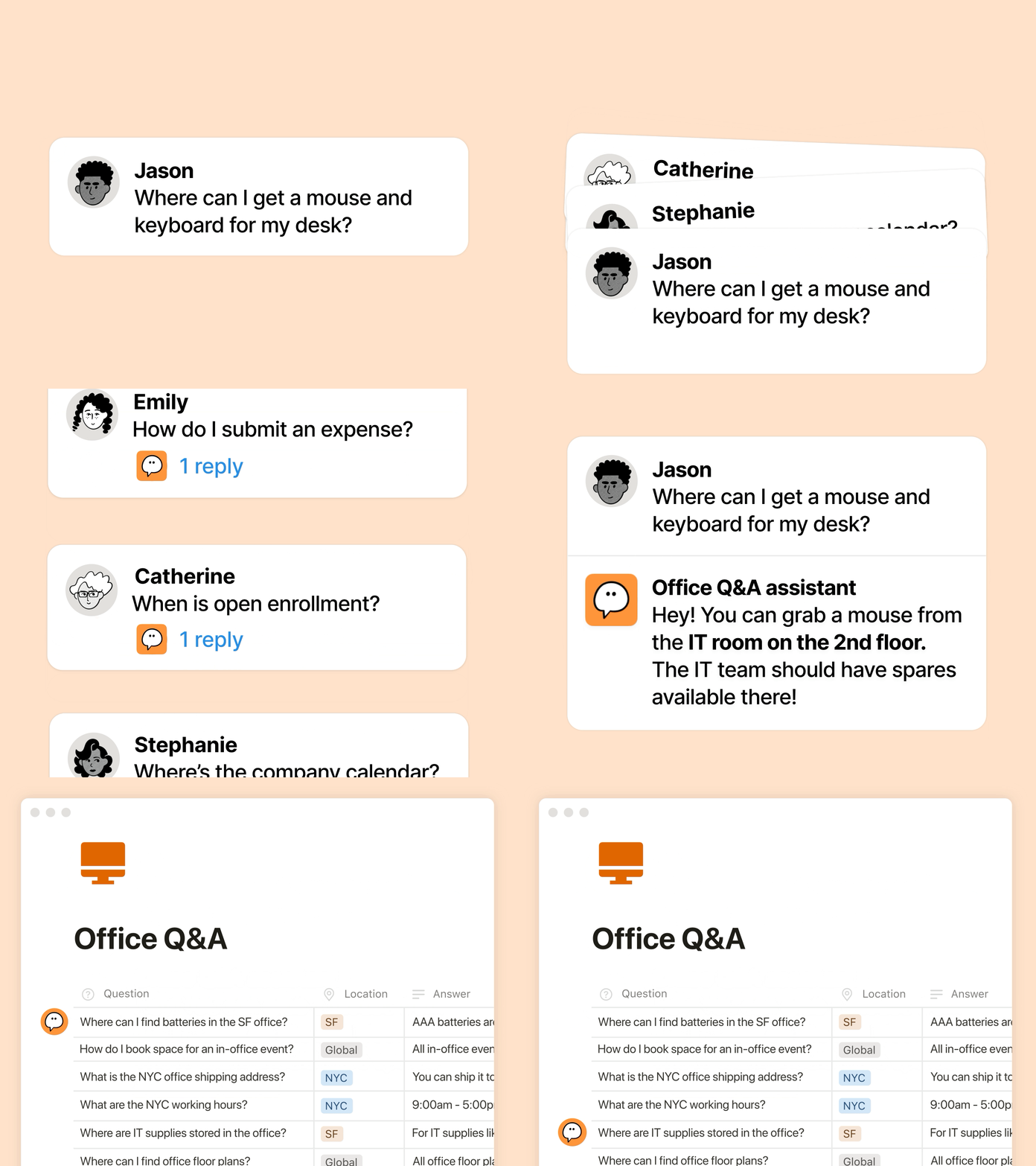
團隊與自訂代理程式協同運作

Teams and Custom Agents, working together

如果你錯過了相關資訊,以下快速帶你回顧自訂代理程式:自訂代理程式就像是 AI 隊友,能替你處理日常重複工作。自一個月前推出以來,各類型的團隊都在探索新的方式來運用這些工具:

  • 在需要的時刻提供關鍵資訊:Ramp 的 GTM 團隊透過 Enablement Eddie,快速提取適當的資產和客戶回覆。

  • 處理重複性問題:Clay 執行 IT Buddy,在短時間內解決員工的常見問題。

  • 報告自動化:Braintrust 的競爭情報代理程式會追蹤網路上的競爭對手最新動態和 Gong 通話逐字稿,並於每天早晨修訂內部文件,確保團隊隨時掌握最新背景資訊。
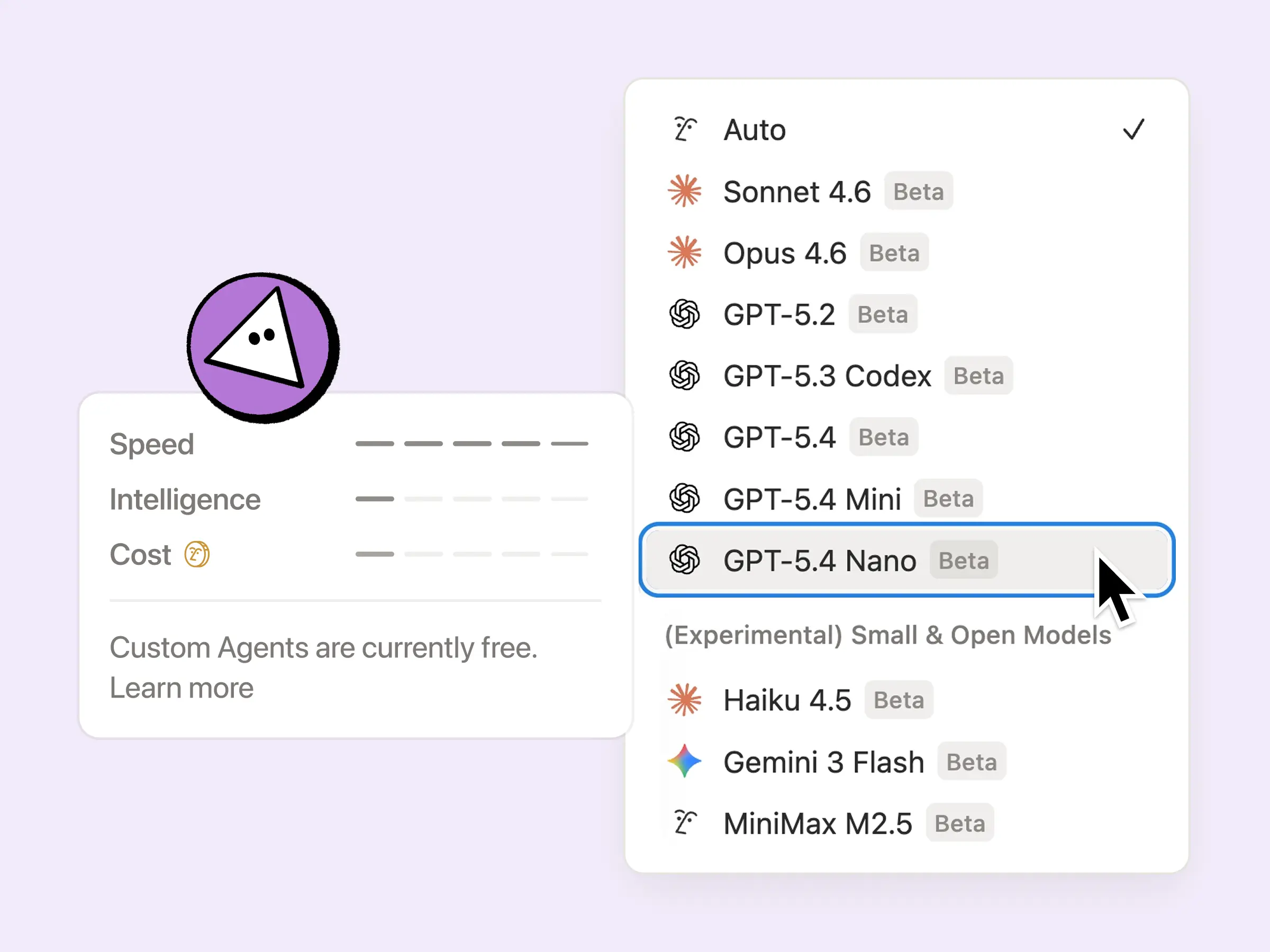
自訂代理程式全新升級:效率、透明度與背景資訊

New Custom Agent upgrades: efficiency, transparency, context

你希望代理程式能提供協助,同時也需要可隨需求調整的定價機制、對代理程式運作狀況的掌握,以及與既有工具堆疊的整合。本次更新同時滿足了這三大需求:

  • 執行更有效率:現在自訂代理程式的整體執行成本降低 35% 至 50%,尤其在電子郵件分類等重複性任務上更為明顯。選用如 GPT-5.4 Mini & Nano、Haiku 4.5、MiniMax M2.5 等新模型時,最多可減少 10 倍的額度使用量,進一步提升成本效益。

  • 掌握代理程式額度使用情況:透過 Notion 額度儀表板,你可以更輕鬆地調整代理程式設定,並了解哪些功能發揮成效。我們會持續新增更多指標,協助你輕鬆進行最佳化,並判斷哪些任務值得執行。更多微調代理程式的提示請見此處

  • 更完整的背景資訊:自訂代理程式現已支援存取私人 Slack 頻道,不再錯過重要對話。未來也會陸續支援更多整合功能,包括 Microsoft Teams、Google 雲端硬碟、Salesforce 和自訂連接器。

自 5 月 4 日起,自訂代理程式將改用可購買的 Notion 額度。在此之前仍可免費試用數週,現在正是體驗的好時機。
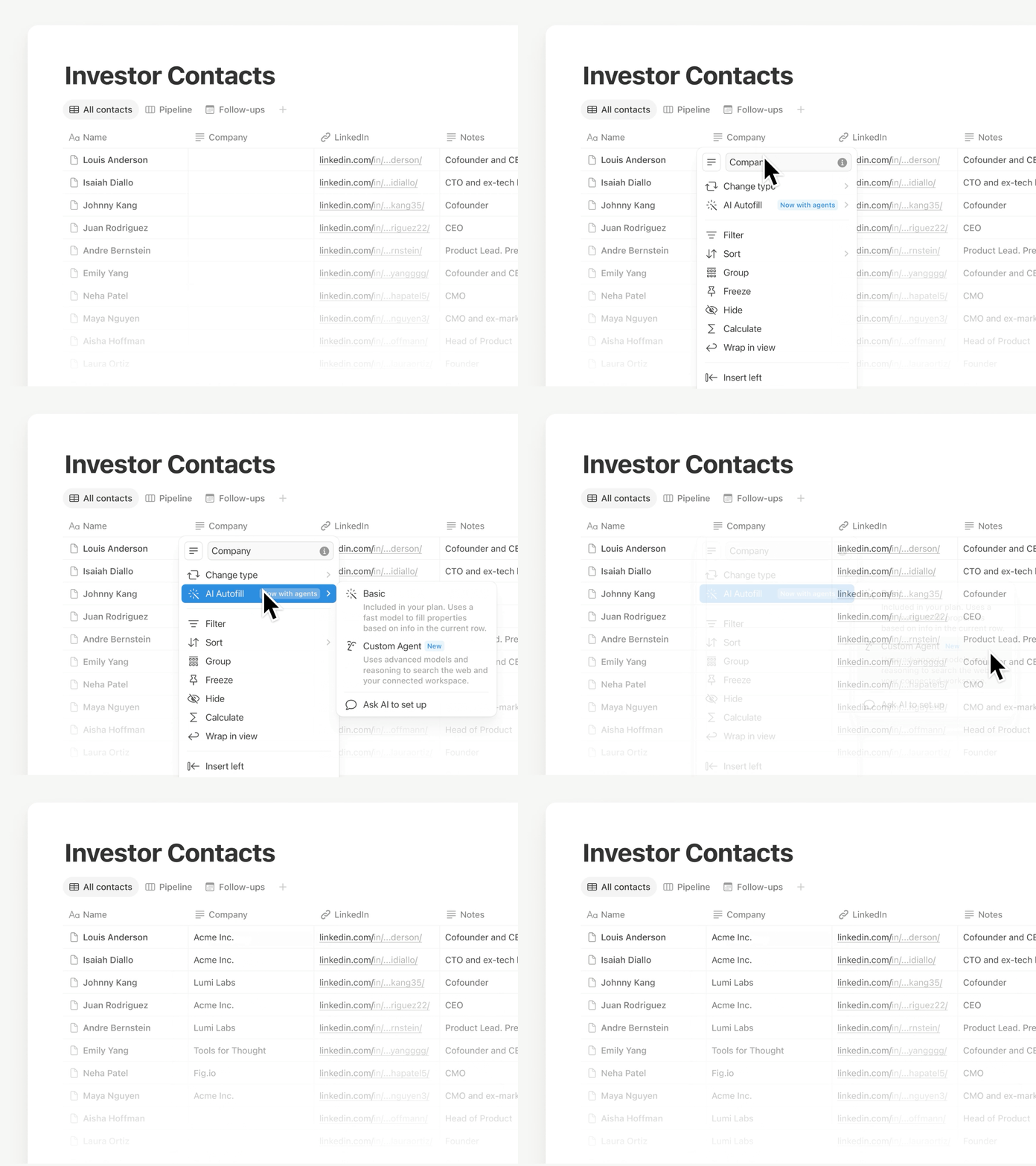
由自訂代理程式提供支援的資料庫 AI 自動填寫功能

AI Autofill

使用「自動填寫」功能,讓資料保持最新狀態,現在更結合自訂代理程式的強大功能和智慧。可持續補充、擷取與分類每一列的資訊,讓資料庫在無需人工審核的情況下仍能維持可靠與準確。

此功能正逐步推出,若目前尚未顯示,將於近期開放使用。為提供基本填寫需求,商業版和企業版仍包含基礎 AI 自動填寫功能。深入了解 →

Notion 代理程式現在具備全新技能、整合功能,還能直接與你對話!

Your Notion Agent has new Skills, integrations

「技能」可將「你經常請 Notion 代理程式處理的事項」轉化為可隨時按指令執行的操作。你可以將最常用的工作流程儲存為技能,例如草擬每週更新、依照團隊格式重新編排文件,或在會議前準備簡報內容。

Notion 代理程式還有更多驚喜功能:

  • 整合日曆、郵件和 Slack:可請代理程式在你日常使用的工具中讀取內容、進行摘要並執行後續任務。

  • 內嵌文件編輯:選取文字後,代理程式會直接在你的文件中進行編輯,變更會即時套用於原處。

  • 與代理程式交談:使用麥克風按鈕,以語音輸入指令。

自訂 AI 筆記寫手摘要

Customize your AI Meeting Notes summary

AI 筆記寫手最受期待的功能正式推出!現在你可以新增簡短的自訂指示,讓摘要以你偏好的格式呈現。此外,AI 也會自動提取工作空間的相關背景資訊,讓摘要品質持續提升。深入了解 →

全新 AI 連接器:Salesforce 和 Box

New AI connectors: Salesforce and Box

使用 Salesforce 連接器,即可搜尋客戶、商機和筆記,便於會前準備、草擬後續追蹤內容,以及建立客戶計畫,無需在多個分頁之間切換。透過 Box 連接器,則可搜尋並總結提案、合約與專案文件等檔案,以便提取關鍵詳細資訊、比對不同版本,並確保交付成果順利推進。
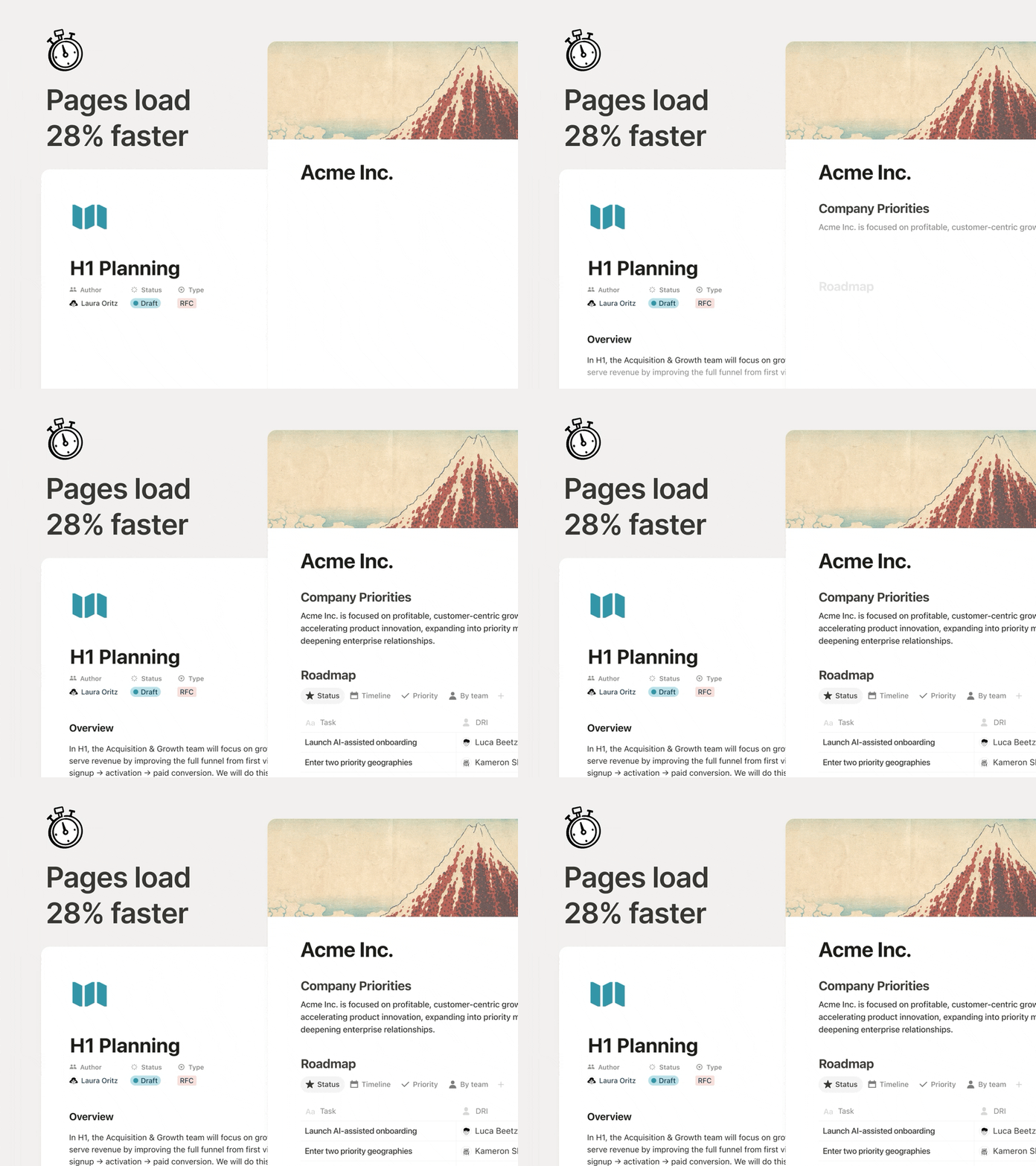
顯著的效能提升

A meaningful performance boost

在文件之間頻繁切換時,頁面應該要即時回應。現在,頁面初始載入速度提升 28%,內容顯示更快,讓你能持續專注於工作流程。這看似是小幅調整,但累積下來的效益卻相當顯著。

全新資料庫權限:「可以建立頁面」

New database permission: “Can create pages”

允許團隊成員在資料庫中建立新頁面,同時仍限制其無法查看或編輯無存取權限的其他內容。

例如在會議資料庫中,團隊成員可以存取自己的會議紀錄並建立新的會議頁面,但無法查看其他人的內容。當需要與外部人員協作或處理敏感資訊時,此設定特別實用。

更多功能更新

  • AI 筆記寫手支援 API:整合功能現在可提取完整逐字稿和摘要筆記,讓團隊能在既有工具中自動追蹤待辦事項。

  • n8n 模型上下文協定 (MCP) 整合:將自訂代理程式連接至 n8n,以便代理程式執行既有的自動化功能,並協助你在不同應用程式和 API 之間協調工作。

  • MCP 改進:AI 工具現在可在 Notion 中穩定執行更多操作,包括留言、會議逐字稿和 Notion 網站,並提供更快的回應速度,以及稽核與核准工具等全新管理控制功能。

我們會持續改進 Notion AI,使其成為更強大的團隊協作工具。

謝謝!

Ivan

附註:我與創意團隊合作製作了一部影片,分享我們對 AI 的看法。請前往此處觀看

自訂資料庫中的分頁顯示方式

透過選擇分頁顯示為「文字與圖示」「僅顯示圖示」「僅顯示文字」,讓資料庫保持整齊且易於瀏覽。此設定僅適用於本人,其他人不會看到任何變更。

來自經典典藏的全新頁面封面圖片

從四個全新系列中選擇頁面封面圖片,素材來自博物館與公共典藏機構。

這些系列包含 Texturelabs 的自然紋理、大都會藝術博物館典藏的哈德遜河派畫作、國家亞洲藝術博物館的中國絲綢畫,以及美國農業部經典水果水彩插畫系列。

將討論回覆設為靜音

將討論回覆設為靜音

將你不再關注的討論回覆設為靜音,避免通知干擾。如果有人使用 @ 提及你,或你新增了留言,系統將自動恢復通知。你也可以隨時透過 ••• 選單手動取消靜音。

查看 X 上的公告

Share Notion AI chats as a link

You can now share your Notion AI chats as a read-only link. Share a helpful response, your latest prompting technique, or any conversation you’d like a teammate (or the world) to see.

Manage all your shared links in SettingsPublic pagesShared AI chats.

See the announcement on X →
桌面版語音輸入功能

桌面版現已支援 Notion AI 語音輸入功能。無論是要口述較長的指令,還是單純不想打字,都可以使用語音輸入,更輕鬆地透過代理程式完成操作。

Keep pages tidy with tabs

Tabs let you split a page into clean sections so you can keep related content together without a long vertical scroll. Type /tabs to get started.

See the announcement on X →

封存過時頁面,讓你的工作空間維持整潔

封存過時頁面,讓你的工作空間維持整潔

使用封存功能可將頁面標記為過時,讓工作空間更整齊,同時改善搜尋結果。

已封存的頁面會顯示橫幅,標示封存者與封存時間,並預設不會出現在搜尋結果、側邊欄與資料庫瀏覽模式中。封存上層頁面時,其子頁面也會一併封存。

如要封存,請點擊頁面右上角的 •••,然後選取「封存」

前往幫助中心了解更多 →

3.4

Notion 3.4, part 1

This month, we have a champagne problem: our engineers are shipping faster than ever, which means Notion 3.4 has too much to cover in a single email.

So let’s start with the fundamentals, like a new dashboard view for your databases, a completely redesigned sidebar (opt-in to try it out!), presentation mode that turns any doc into a slideshow, and a lot more.

Dashboards give you a bird’s-eye view

Dashboards

Bring together charts, KPIs, and metrics into one beautiful dashboard, so you can see what’s up and what’s changed. Much easier to create and maintain versus a workaround like a page of linked views.

To get started, try describing the dashboard you want to your Notion Agent. It can build and update for you! Available on Business & Enterprise plans. Learn more →

A new sidebar, built for focus

Sidebar

The sidebar was getting far too crowded. So we organized it into four new tabs, with easy access to your pages, agent chats, meetings, and notifications. And it’s way more customizable: you decide which sections to toggle on and off.

If you want a quick tour, take a look at Jon's walkthrough. Be among the first to try it by opting in, and let us know what you think!

Finally, a proper presentation mode!

Finally, a proper presentation mode!

Presentation mode started in a very Notion way: Randy and Cole on our design team woke up one day and decided, “presenting a Notion page should be easy… and fun.” So they built it. Now, you can present directly from a page without having to rebuild your work. Try it with the shortcut ⌘ + opt + p on Mac, or Ctrl + alt + p on Windows.

It’s currently in beta for everyone on Plus, Business, and Enterprise. Check out Randy’s demo.

Here at last: the fabled “tabs” block

Here at last: the fabled “tabs” block

Notion HQ had an internal “tabs” block for years, but the secret finally got out. Time to set it free. Now you can organize content into clean, clickable sections, without the maze of subpages. Check it out.

Generate images, charts, slides, diagrams

Generate images, charts, slides, diagrams

Generate images right where your work lives, so visuals stay connected to the plan, the brief, and the decisions behind them. It’s the Notion way: iterate in context, remix what’s on the page, and turn text into everything from process diagrams to onboarding visuals in seconds. Just ask your agent. Here’s how you can get started.

Archive pages for better search & AI results

Keep your workspace clean as it grows: now you can mark old pages as archived instead of deleting them, so they stay accessible without cluttering search and navigation. Archived pages are hidden from search by default, so they’re a great tool to improve your team’s AI responses.

We shipped just a few other things too

  • H4 headers: Smaller than H3, bigger than text.

  • Markdown Content API: Markdown tools can now read and write Notion directly, which makes integrations simpler and more reliable.

  • SDK improvements: Integrations are now easier to build and more reliable, with automatic retries, Markdown and Meeting Notes support, and clearer setup warnings, so workflows break less often and ship faster.

Tell us what’s working (and what you want next). We’re building fast.

Cheers,

Ivan

P.S. Notion 3.4 also includes an exciting list of upgrades for Notion AI that are already rolling out now. I’ll send a note about that soon. In the meantime, you can watch this video.

P.P.S. If you’ve been curious about Custom Agents, now’s a good time to try them for free through May 3, 2026. Get started here.

Notion AI 的自訂技能

自訂技能可將任何重複性的 AI 任務轉換為易於使用的指令。如欲使用自訂技能,你可以從文字選取選單中找到該選項,或在代理程式對話框內直接「@提及」特定技能。由於技能是以頁面形式存在,因此團隊所有人都可以共用,並一起打造一套技能。

若要將頁面指定為 AI 技能,請開啟···選單,並選擇 與 AI 搭配使用指定為 AI 技能。從設定Notion AI一般,則可管理所有設定內容。

此功能於商業版和企業版開放使用。

查看 X 上的貼文

Powered by Fruition